
Your morning, in a line
A summary at the top says who is waiting on you, how the game is going and whether to take an umbrella. Questions for Kira sit right under it, ready to tap.
ToastyAI for iPhone & iPad
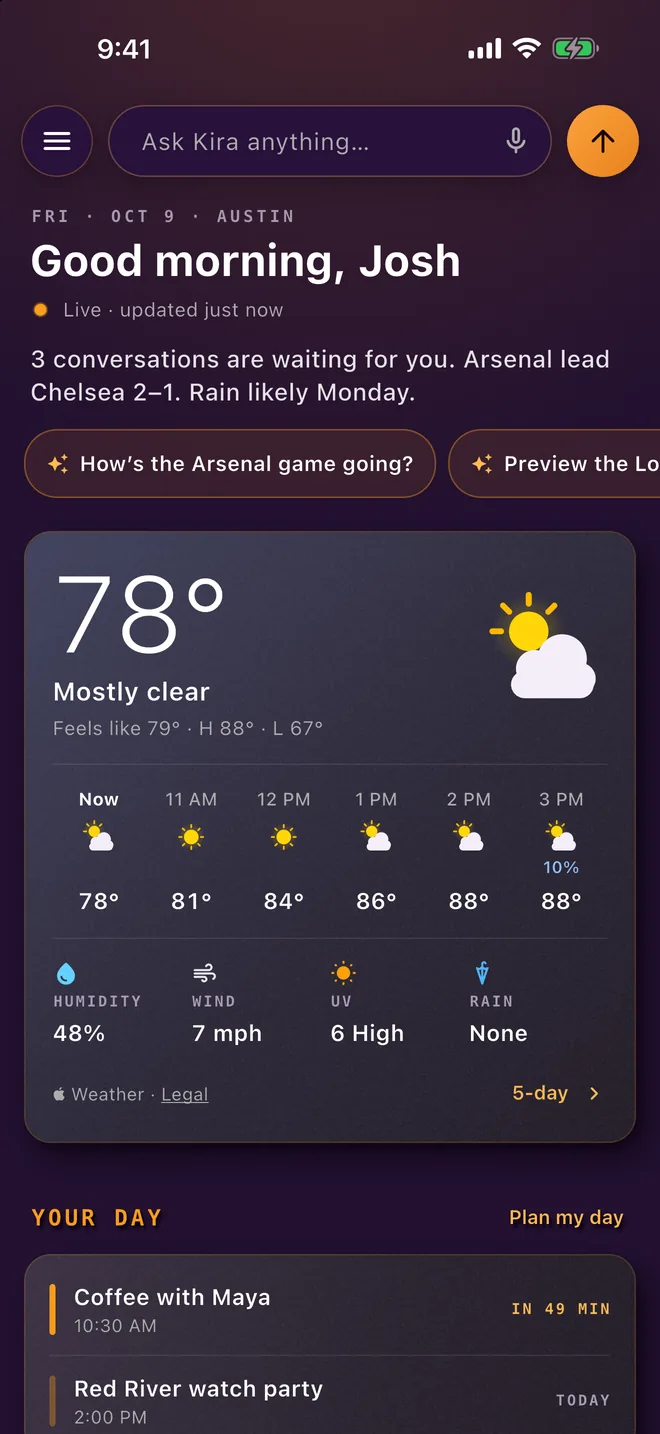
ToastyAI opens to Home: the weather for your city, your teams’ scores, the prices you follow and the news you pick, kept current on one page. Ask Kira about any of it from the bar at the top. And every personal chat stays end-to-end encrypted.
Home
Tell it your city, your teams and your topics, add the prices you watch, and from then on Home is ready the moment you open the app and keeps itself current. Show, hide and reorder any section, or let Smart order lift a live game to the top.
A summary at the top says who is waiting on you, how the game is going and whether to take an umbrella. Questions for Kira sit right under it, ready to tap.
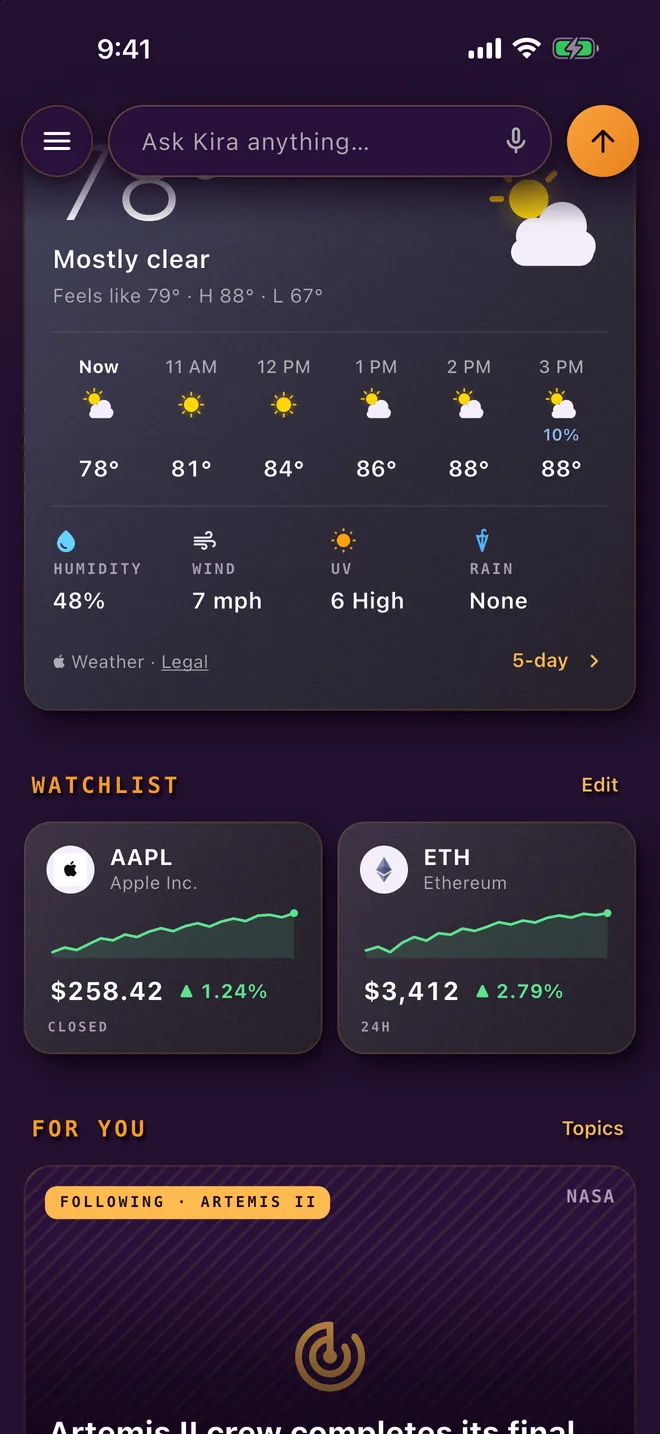
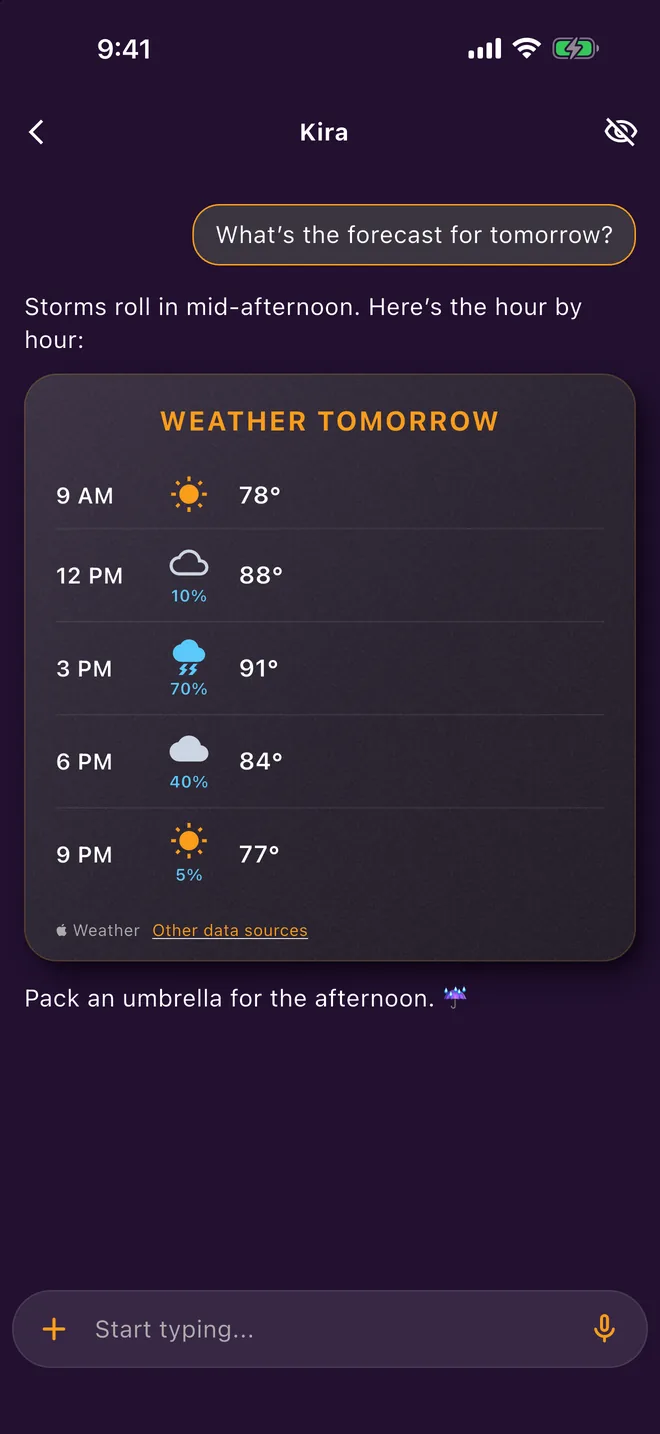
Hour by hour and five days out, in colour: a yellow sun, temperature range bars, a sky that matches outside. A severe alert stays short on Home, with the full alert one tap away.
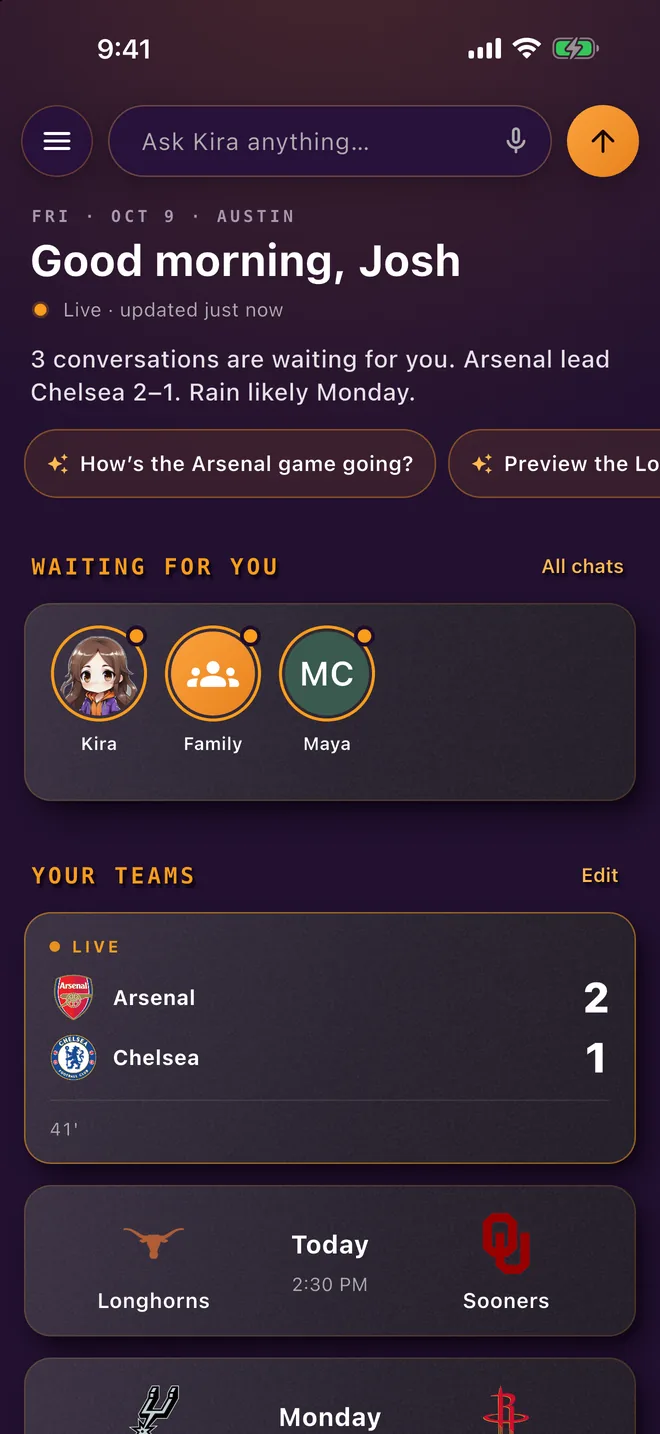
Live scores, the last result and the next game at a glance, crest and all. Find teams near you, college sports included.
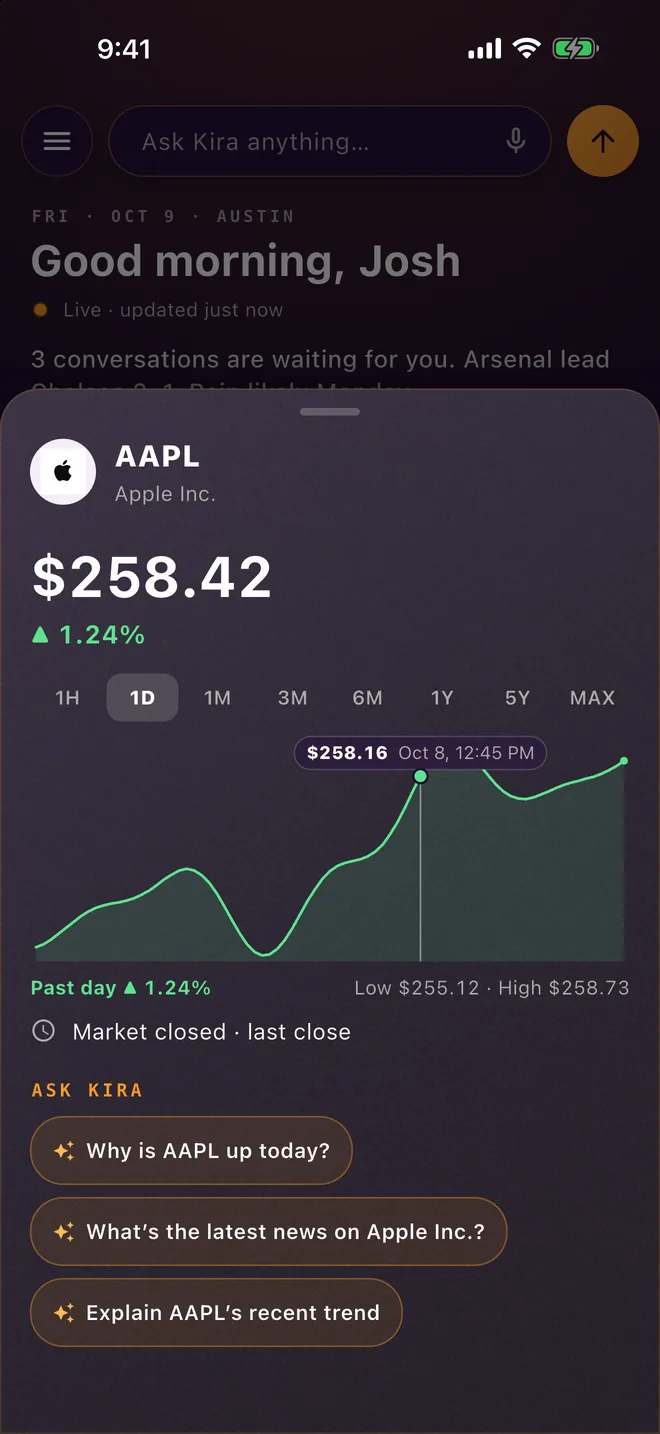
Stocks and crypto with their charts, from one hour to all time. Touch the chart for the price at any moment.
Pick your topics and sources, or follow anything: a person, a band, a country, an event. Headlines come with photos when the story has one.
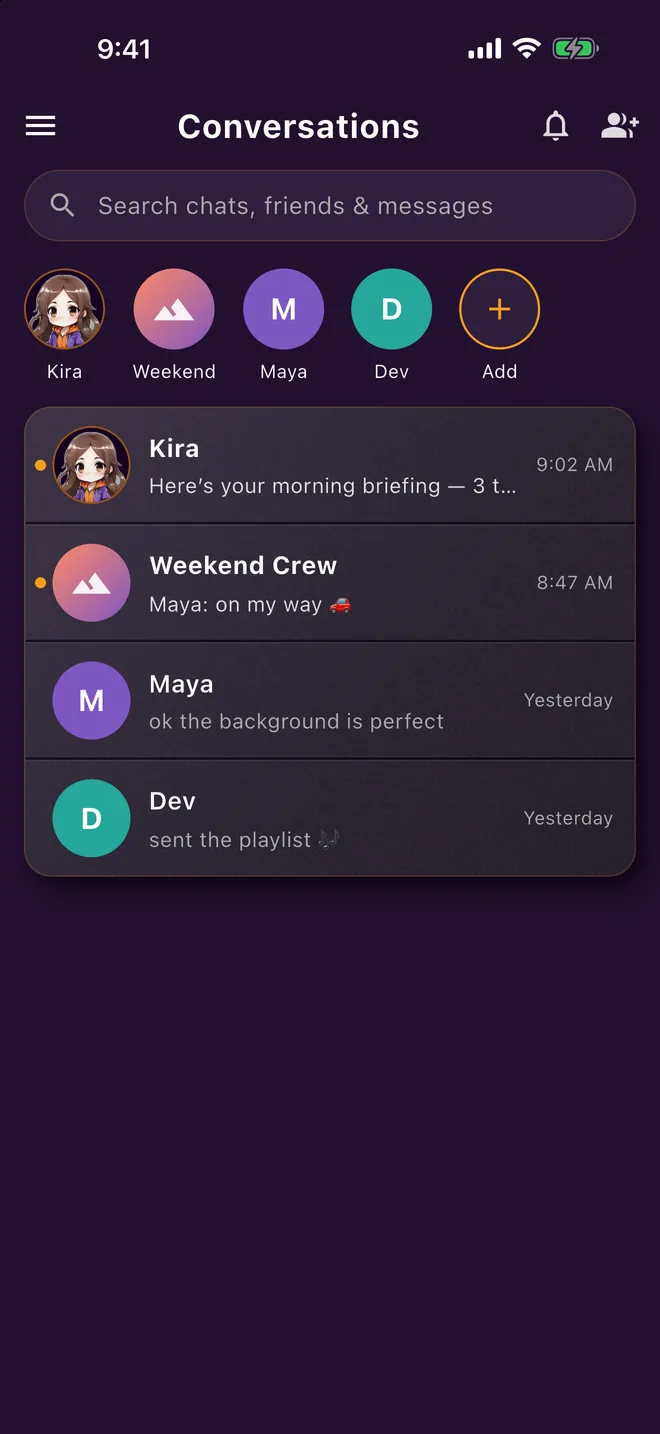
The chats that need an answer, right on Home, so nothing sits unread under the weather.
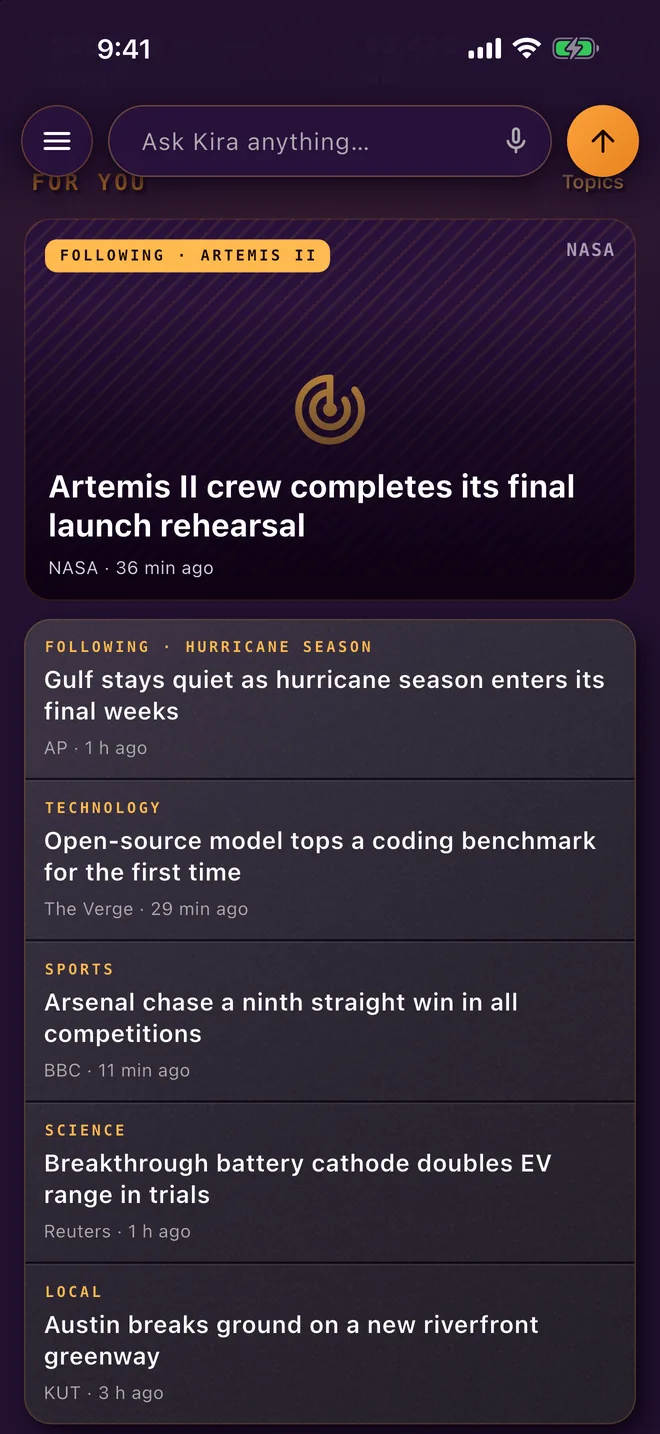
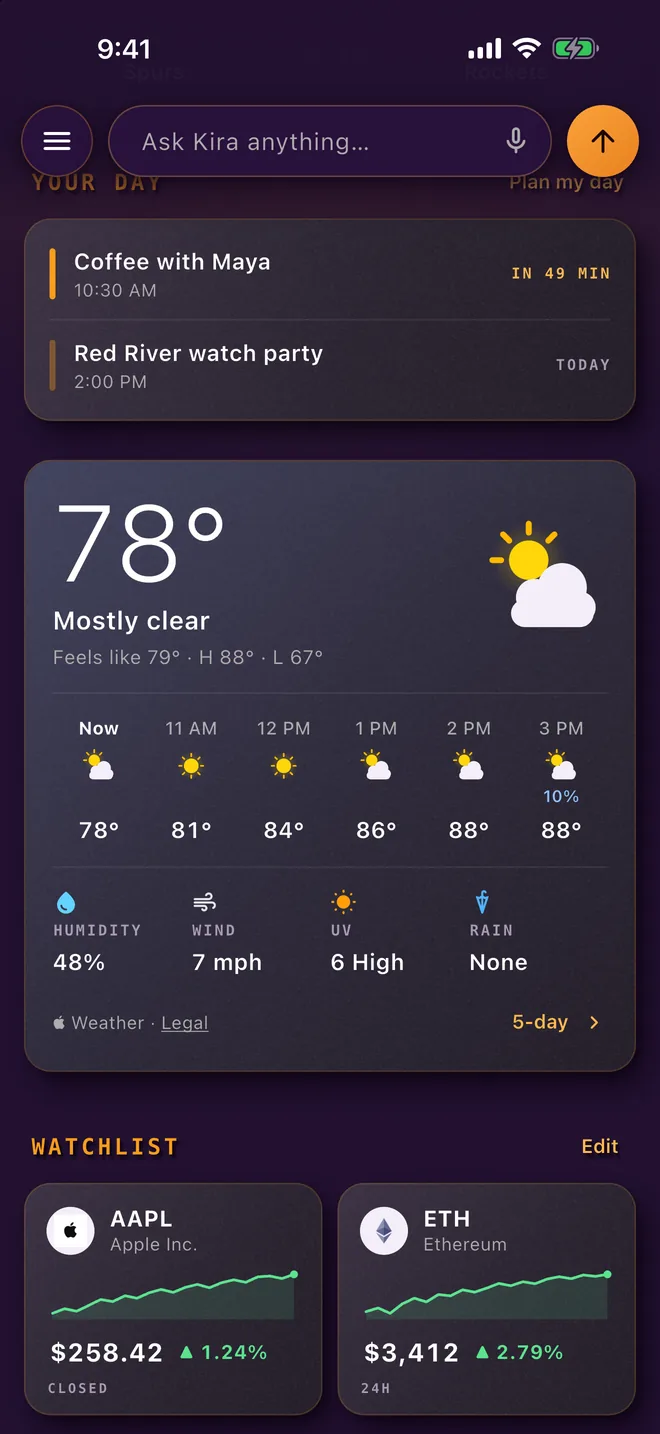
Weather, scores, prices and news on Home come from our server, not your phone, and each lookup carries only what it needs: a place, a team, a ticker. Privacy policy →
AI agents
Invite Kira into a conversation the same way you’d add a friend. In a group she follows along and answers when someone @-mentions her. One-on-one, just ask.
You invite her. Your chats, your guest list.
Meet the agents →The short version
Your personal chats are encrypted on your device and opened only on your friends’ devices. Our server relays scrambled data it cannot read.
How? →Every encryption key is written to a signed, append-only log. A swapped key can’t hide.
How? →On encrypted chats, your notification shows a lock — never your words.
How? →Make it yours
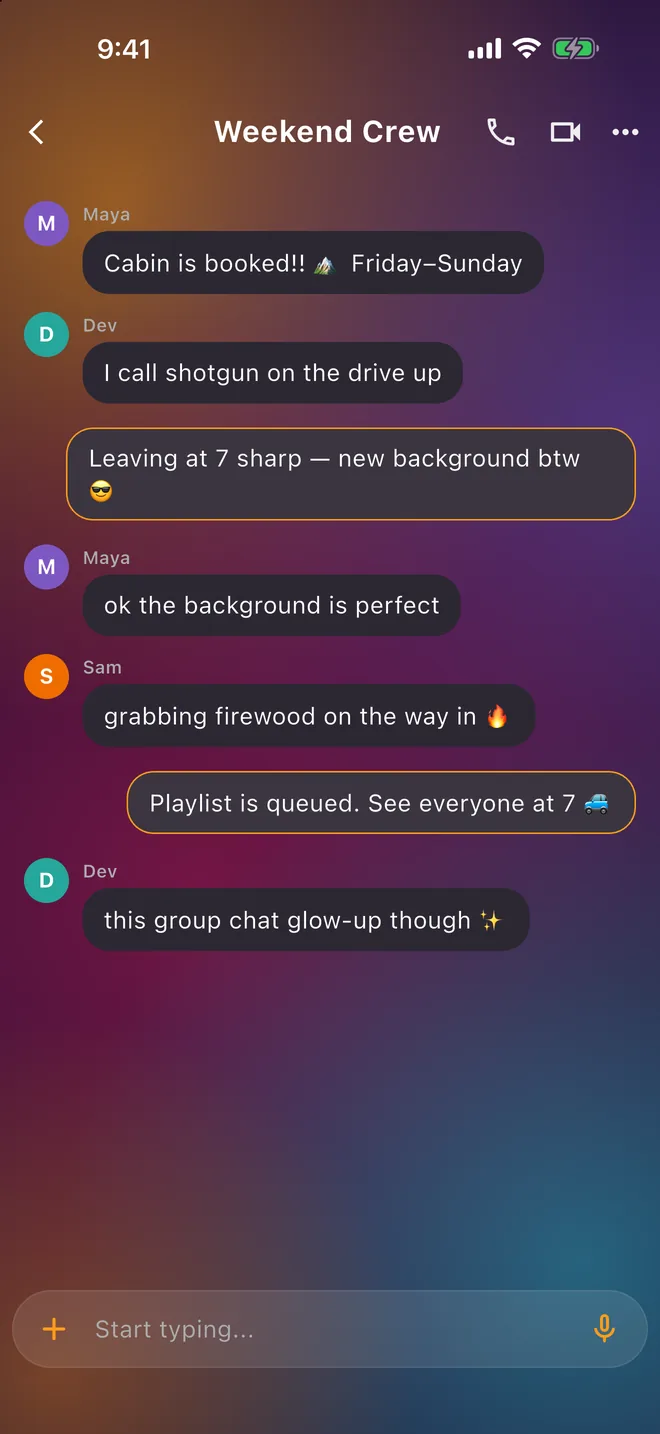
Set a background and everyone in the chat sees it — any member can change it, group or one-on-one. Give the group its own icon. Pin your people and your group chats to the top as favorites.
Backgrounds and icons stay in the chrome — messages themselves stay sealed end-to-end, same as always.
Live cards
Most messages are frozen the moment they’re sent. ToastyAI’s live cards update themselves in place — a scoreboard that ticks score, inning, and count right inside the thread. No refresh, no re-asking; the chat keeps up so you don’t have to.
Live cards, exactly as they appear in a ToastyAI chat.
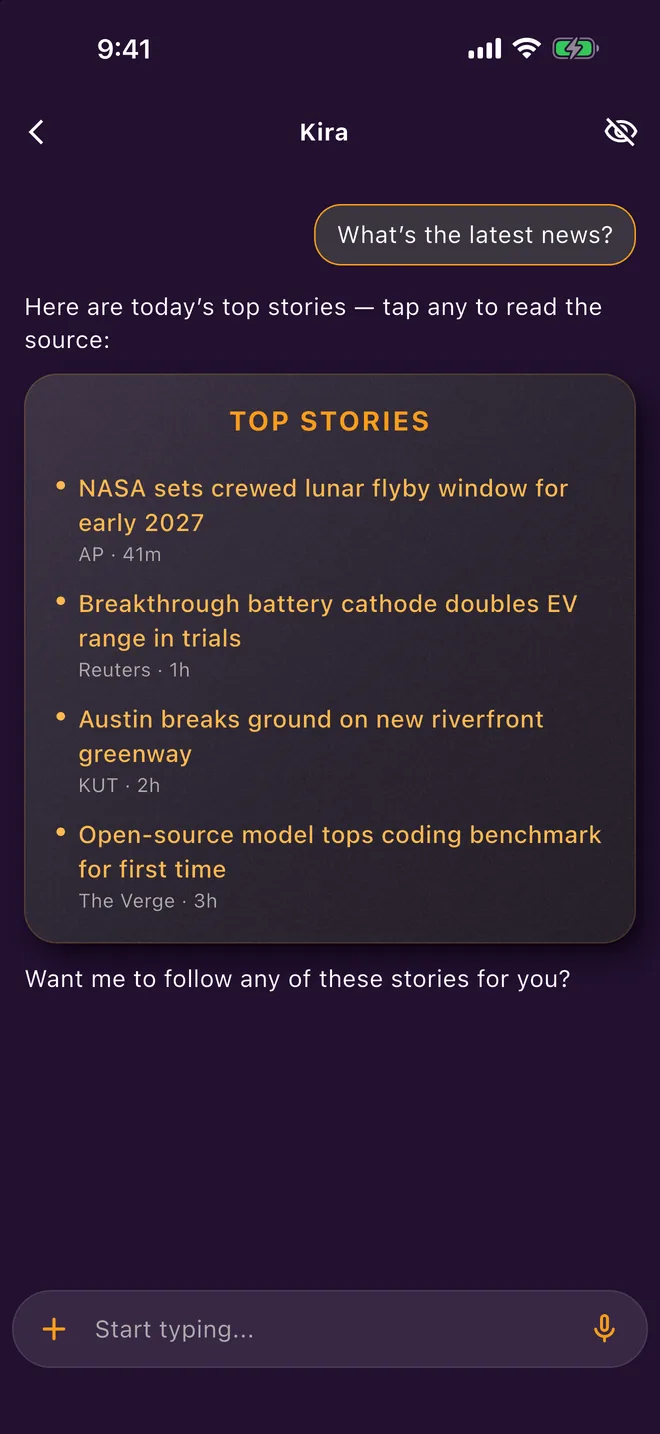
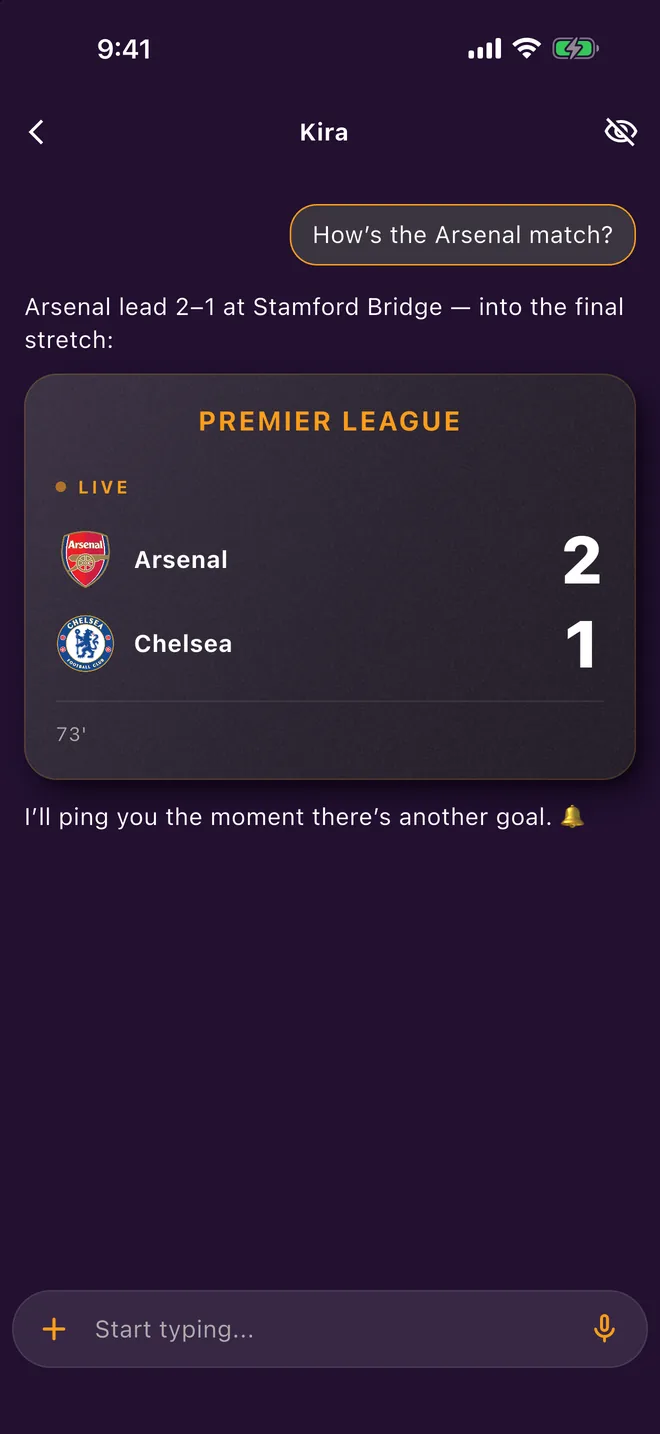
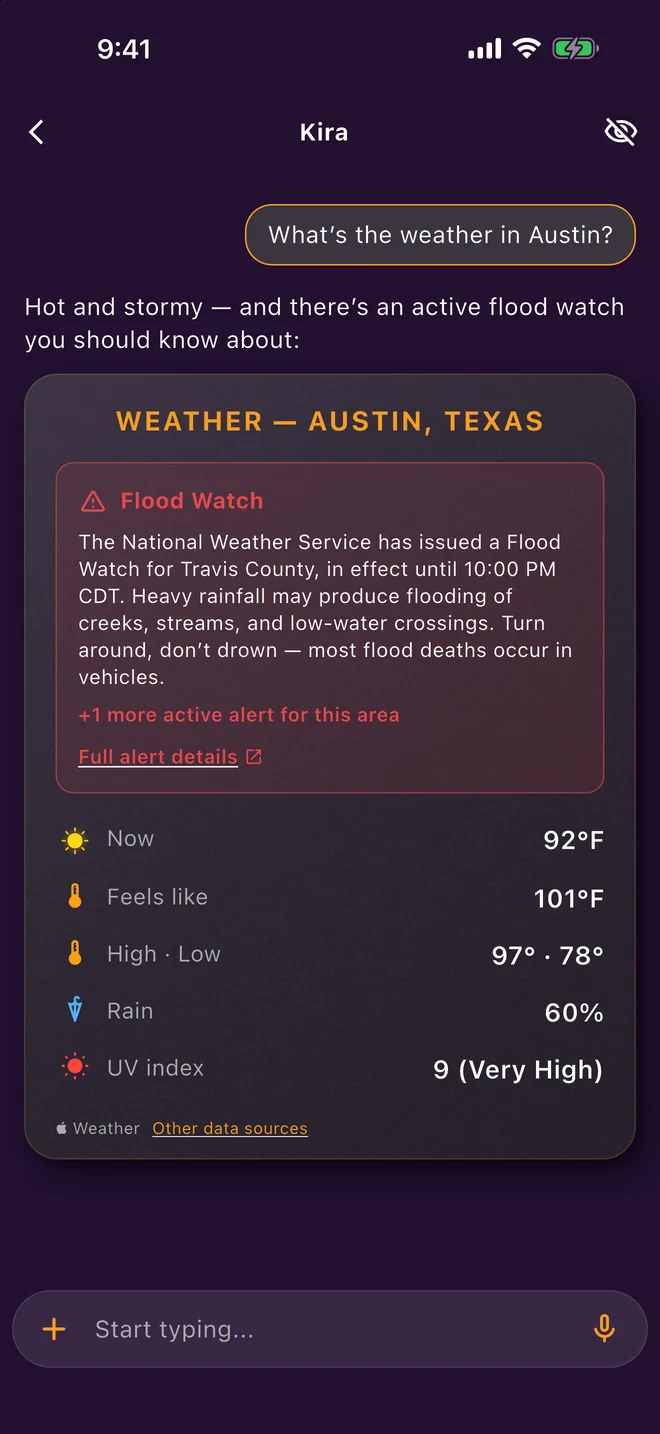
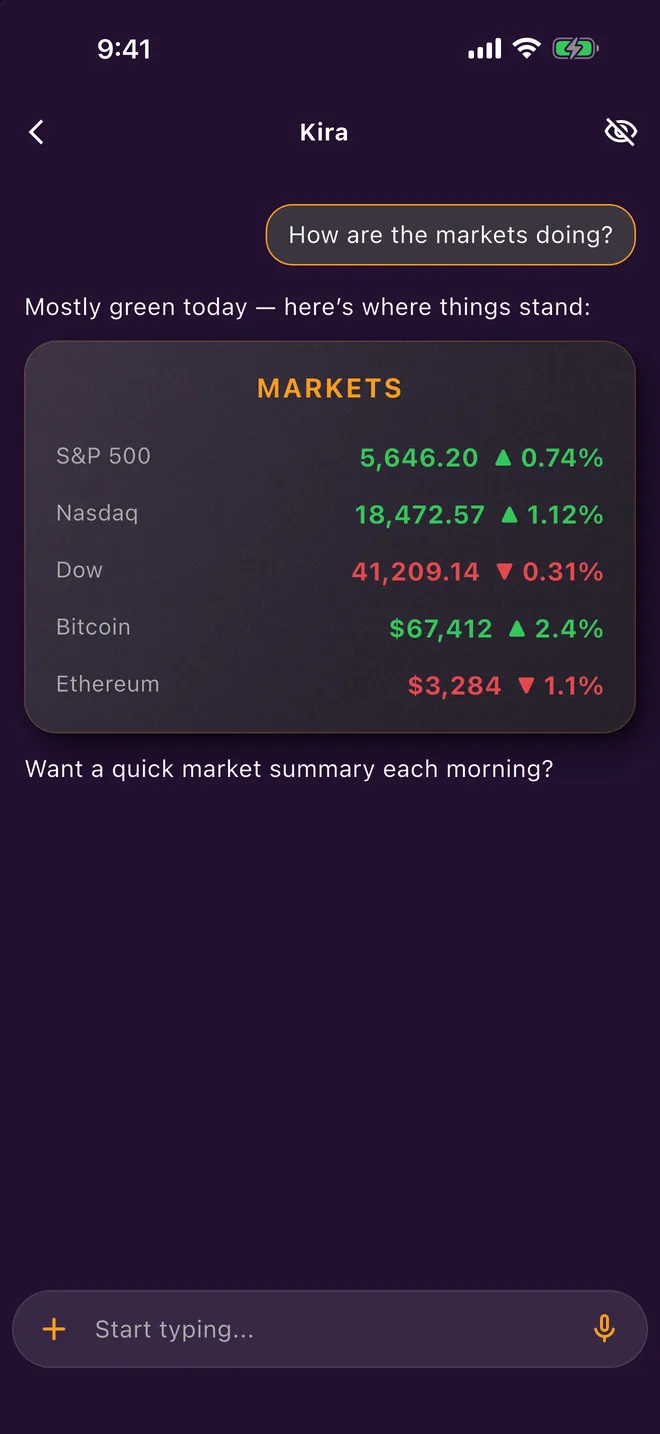
Real screenshots. Demo conversations.
Plans
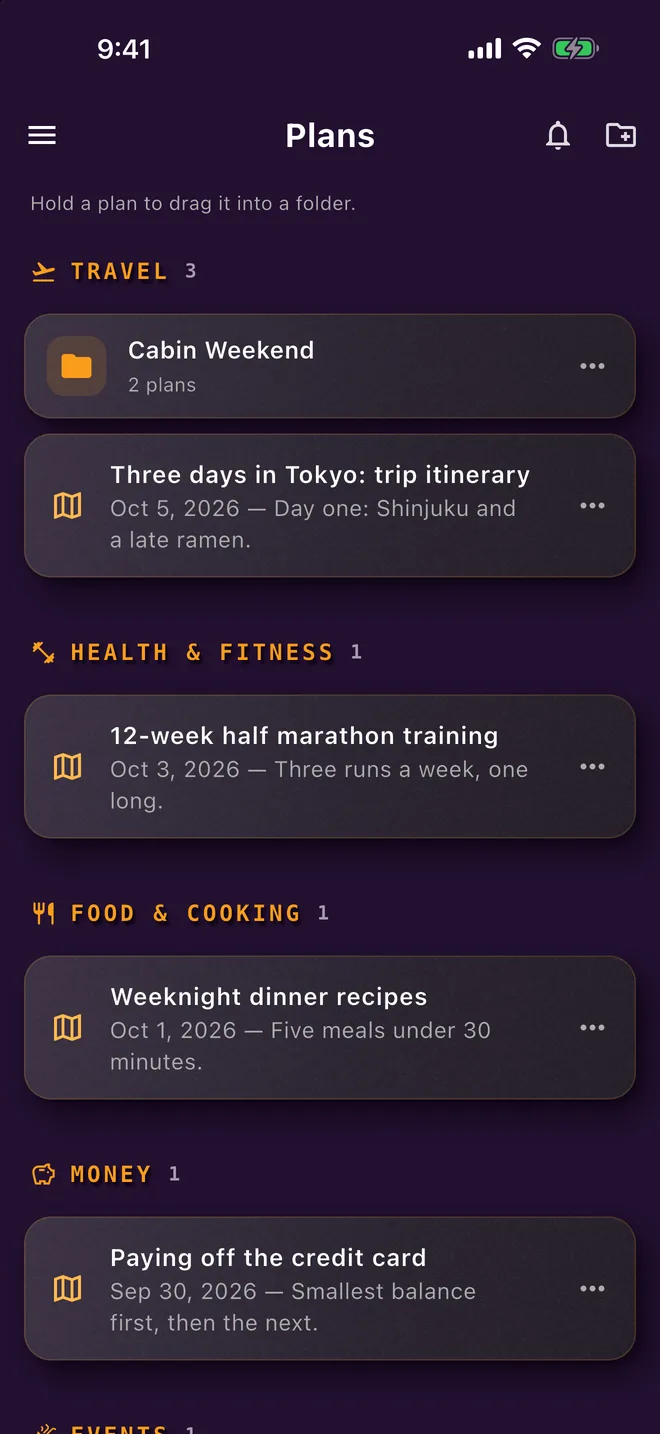
Ask in the thread, and Kira turns the back-and-forth into a clean, keepable plan — who’s doing what, when to leave, what not to forget. Copy it, keep it, or toss it when the weekend’s over.
Then keep them in order: sections and folders, hold a plan to drag it into a folder, and export any plan as a PDF or a Word file.
Key transparency
World-readable — check it yourself, no account needed →
Every messaging app asks you to trust that the server handed you the right keys. We don’t ask.
ToastyAI writes every user’s encryption keys to a signed, append-only public log — like a notary’s book with numbered pages. If our own server ever tried to slip a different key into your conversation, the log wouldn’t match and the swap would be detected. We built a system where even we get caught.
Trust is good. Proof is better.
That’s the point. It can’t happen quietly.
End-to-end encryption
Each message is locked with a fresh key, and the keys only march forward. Steal one and you’ve read one message — not your history, not your future. Cryptographers call it a double ratchet. We call it Tuesday.
We didn’t invent our own crypto — we implemented the battle-tested Olm/Megolm double-ratchet design, in Rust. Applies to personal chats.
Incognito
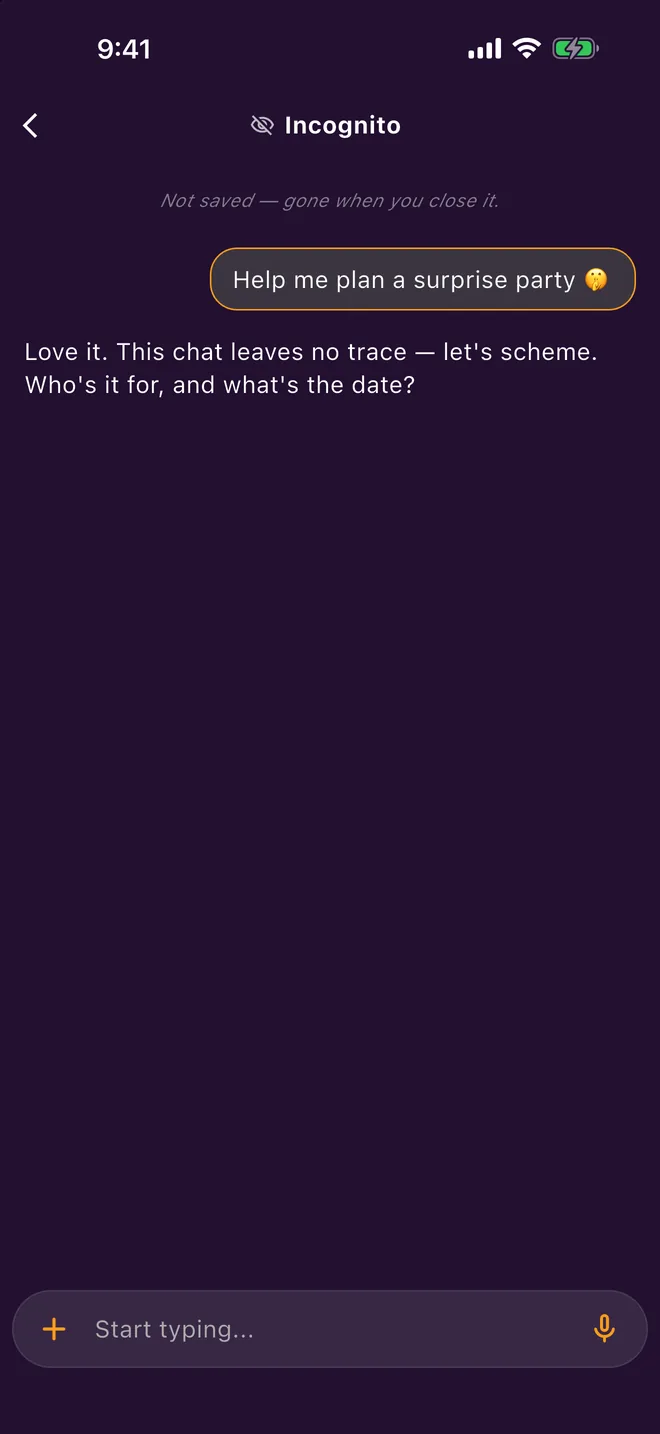
Open an incognito chat with Kira and it’s off the record from the first word: no history kept, nothing carried into other conversations, and the whole thing is deleted the moment you close it.
Plan the surprise party. Ask the awkward question. It’s gone when you’re done — not saved, gone when you close it isn’t a tagline, it’s written right at the top of every incognito chat.
Emoji verification
Want certainty you’re talking to your person and not an impostor in the middle? Compare a short emoji sequence — in person or on a call. If they match, the math checks out.
Security checks shouldn’t feel like tax forms.
It’s called SAS verification — details on the security page.
Cross-signing & encrypted backup
Sign in on a new iPhone, approve it from a device you already trust, and your conversations come back — decrypted only on your hardware. Your key backup travels in a sealed envelope the server stores but can never open. At no step does the server ever see a key.
Voice & video
Crisp voice and video — one friend or the whole group. And because ToastyAI is a real iPhone citizen, it rings on your lock screen even when the app is closed. Full-screen, swipe to answer, the way a call should feel.
Under the hood: WebRTC media, CallKit ringing.
Table stakes
The basics aren’t a pitch. They’re a baseline.
The whole crew in one thread, with typing dots so you see the reply coming.
Photos and videos, right in the flow.
Photos, videos, files and links, straight from the iPhone share sheet into a chat.
Any emoji, on a message or on the corner of a photo or video. Your recent picks stay on deck.
Pin your people — and your group chats.
Add friends with a short code you share yourself — no phone-number harvesting required.
7KQ2M9XDIf an assistant is offline, the chat says so and your message waits for its reply instead of getting lost.
If ToastyAI can’t be reached you stay signed in, and the app picks up again as soon as the connection is back.
Text fits on every screen, including at the larger iPhone text sizes.
The most honest privacy policy is an architecture that can’t betray you.
We don’t mine your chats — we can’t read them.
We don’t sell your attention — there are no ads to sell it to.
We don’t harvest your data — the design leaves nothing to harvest.
ToastyAI is on the App Store for iPhone and iPad.